This post is relevant if you’re looking to connect your newly obtained Portacount (or two, or three1) to your PC (or Mac, or Linux machine, or anything else with a USB port)?
Sadly, these machines use a non-standard pin layout for their serial port, meaning that – unless you managed to snag one of the rather rare TSI-original adapters – you’ll need to build your own (or find a friend to do it for you).
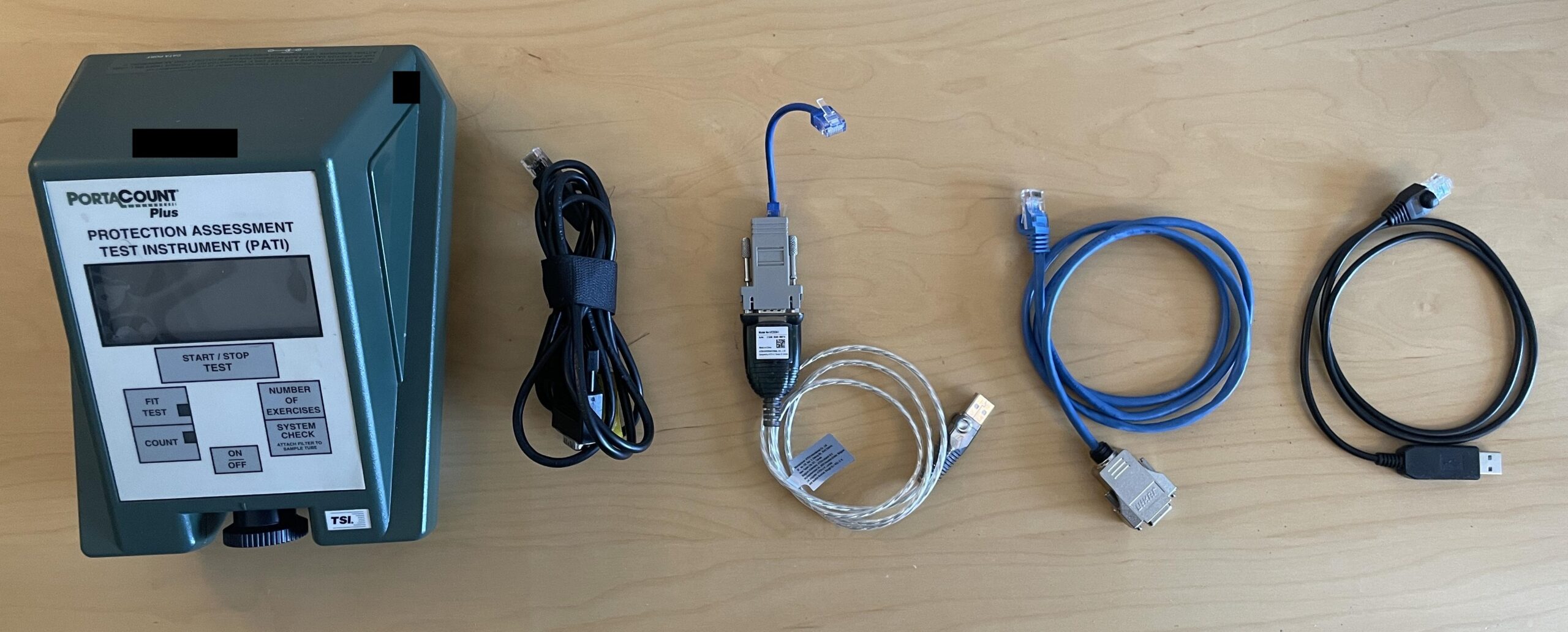
This post covers all the options I’ve thought of (and assembled) so far:
Compatible devices
This guide is relevant for the 8020, 8020A, and 8020M (including both the older M41 PATS, and newer M41A1 PATS – which I’ll call 8020Mgen1 and 8020Mgen22 hereinafter). I consider the 8028 (a.k.a. 8020A combined with an 8095 a.k.a. N95 companion) to be an 8020A for the purposes of this post – after all, you are connecting to the 8020A.
However, these instructions are not relevant for newer Portacounts, e.g. 8030, 8038, 8040, 8048 – these (according to TSI’s manuals) use some ethernet-over-USB based protocol (hopefully I can verify that some day).
Note: the 8020Mgen2 (a.k.a M41A1 PATS, see above) that I’ve tested does have a USB port. This USB port does enumerate as a USB->Serial adapter. However, no matter what I tried, I was unable to use this port for external control. Instead, I’ve resorted to using the exact same adapters that I’ve been using for all other devices (8020/8020A/8020Mgen1). This is a little surprising, as the FitPro+ manual that I’ve read states that the USB port should be used – perhaps my specimen is running a different firmware, or perhaps the manual is incorrect? Please do throw me a comment if your device differs.
Adapter Options
In ascending order of difficulty:
- (Option 0: the TSI adapter. Sometimes they’re included with an 8020, or even an 8095.)
- Option 1: the “modular” adapter. No tools are necessary, but it’s the least satisfying one to build and use (if you ask me).
- Option 2: DE-9 (aka DB-9) connector + some ethernet cable. Requires a wire cutter, wire stripper, and screwdriver(s).
- Option 3: USB->RJ45 adapter. These are generally made by modifying an existing USB->RJ45 adapter. You’ll need an RJ45 crimper. This is the most elegant option.
Note: for options 0, 1 and, 2 you will also need a standard USB->DB9 RS-232 adapter.
Option 0: the official TSI adapter
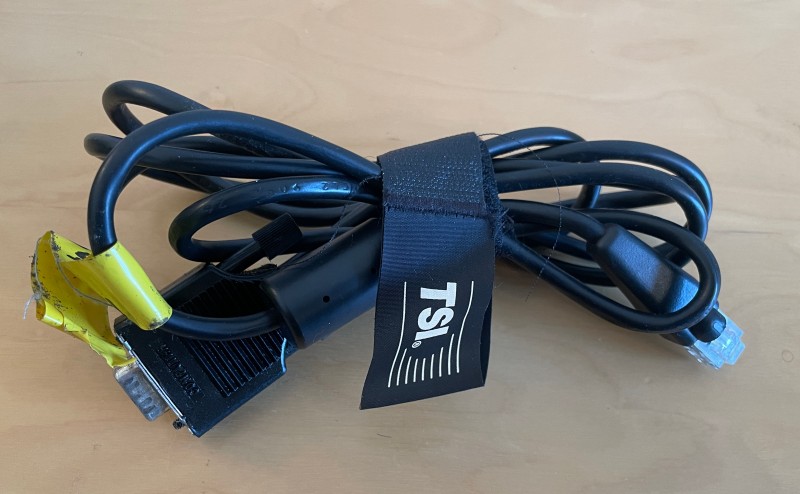
If you’re lucky, your 8020(A) or 8095 will include one of these in the case. Unfortunately, most devices don’t.
Option 1: modular adapter
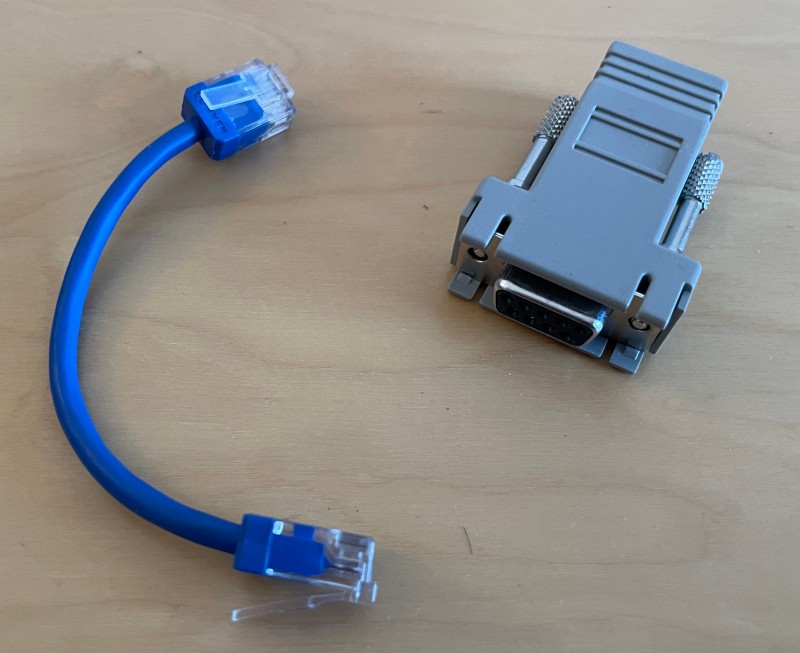
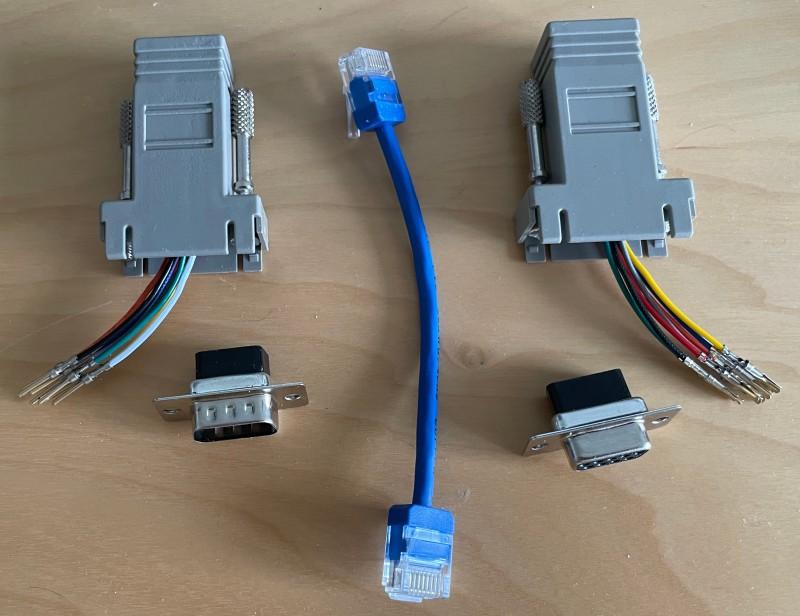
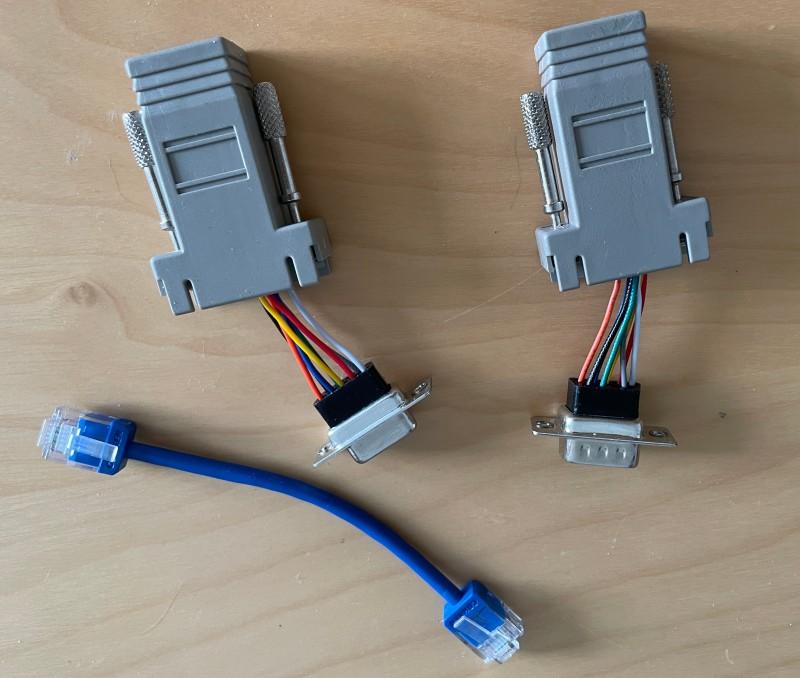
A number of manufacturers, such as Startech and Delock, offer a an RJ45 to DB-9 adapter, where you can connect the pins in any order that you’d like (I bought mine from Aliexpress). I’ve documented the pinout here (I assume that you’ll use a standard ethernet cable to connect this adapter to your 8020, otherwise you’ll need to adjust the pinout to suit your cable) – assembly is hopefully self-explanatory, but if not: you simply push the pin connected to the wire of the appropriate colour into the hole with the right number.
Beware: Delock offer a huge variety of similar looking adapters, but some of them contain fewer wires (e.g. 4) – I’d recommend sticking to the 8-wire adapters.
Option 2: DE9 connector
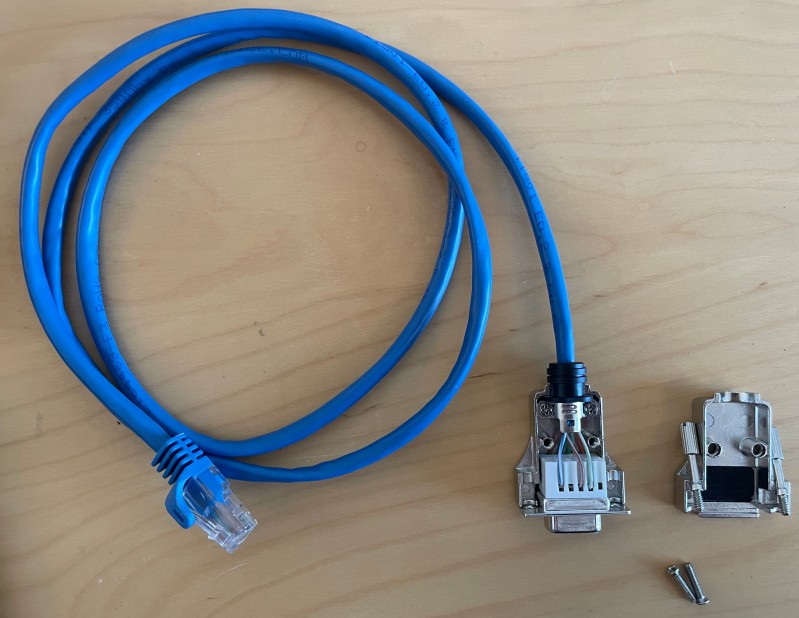
This one’s also pretty simple: chop one end off a standard ethernet cable, and connect to a DE9 plug. As per usual I’ve documented the pinout here. Some plugs require soldering, but I picked one with screw terminals. (My pinout assumes that your donor cable uses T568B termination – but that’s true for most cables.)
Option 3: single-piece USB to RJ45 adapter
It’s easy to find such adapters online, but they all have the wrong pinout. Some are designed for use with Cisco modems, and others with SeaI/O Modbus units3. Converting them for Portacount usage is a matter of crimping a new connector on the end.
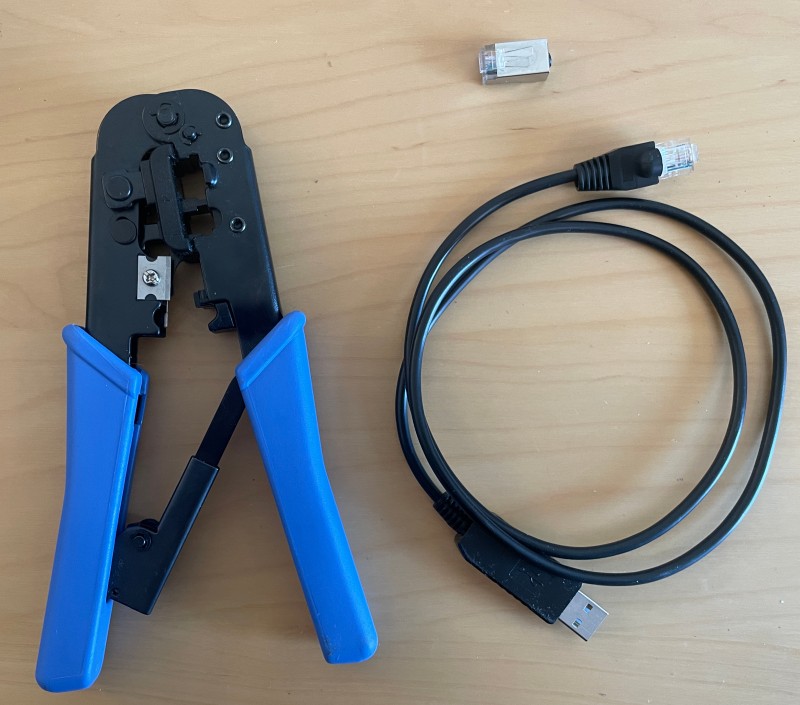
The adapter which I purchased (from Aliexpress, of course) claimed to be SeaI/O compatible. Except: it wasn’t: after some confusion, patient debugging, and finally disassembling the USB end of the cable, I discovered that they’d swapped RX(D) and TX(D); likewise CTS and RTS were also swapped4. (Of course, it’s also possible that I totally misread the SeaI/O specs and got things mixed up on my end.)
The following pinout is what worked for my supposedly SeaI/O compatible adapter. If you’re using a Cisco-compatible adapter, then you’ll need to figure out the pinouts yourself.
| Wire Colour | Green(ish) | Black | Orange | Yellow | White | Red |
| Pin (standard RJ45 numbering) | 1 | 2 | 4 | 6 | 7 | Not connected5 |
I’ve also found a couple of unterminated USB->RS232 adapters online, I expect these to be suitable (again, as long as you figure out the right pinouts).
Other random stuff
Quick testing: I typically run picocom -b1200 -c /dev/ttyUSB0 to verify that my adapters work (followed by sending a “J” and a “G” to verify that bidirectional communication has been established).
Hardware flow control: the technical addendum claims that you should use flow control, therefore I had enabled hardware flow control for Incolata. This worked fine for the 8020A that I was testing. Then I spent a few hours days debugging why on earth an 8020 did NOT work. At long last, the problem became clear: the older 8020 did not support flow control6. With flow control disabled, every single device that I’ve tested does work. (For the record: this isn’t the only mistake in the addendum – the valve off response is incorrectly documented as “VO” when it’s actually “VF” to mirror the command.)
What software? There are a couple of options. There’s obviously FitPro+ (and maybe even FitPro), Incolata (currently still compile-it-yourself only), portacount.py (I think this depends on running a test on the device), fitlog (ditto), Fit Test Console (web-based).
Resources
- PortaCount Model 8020 Technical Addendum: contains details of the 8020 serial protocol, and the TSI-specific serial pinout. Oh, and do beware: TSI’s RJ45 pin ordering is the opposite of normal.
- No judgement from my side. ↩︎
- I haven’t seen any proposals for better naming: almost no one knows what an M41(A1) PATS is, “Model 8020M Fit Testers manufactured after 2014” (TSI’s wording) is a bit clunky, “newer 8020M” is ambiguous, etc. ↩︎
- No, I have no idea what these are. ↩︎
- The USB circuit board uses DTE labelling. RXD was connected to what would be the DCE’s RX pin, TXD to TX, and so on. ↩︎
- It’s not connected at the USB end either. ↩︎
- This 8020 also exhibited some significant hardware differences internally, e.g. plenty of coils that my 8020A lacks, DIP versions of some chips, etc. ↩︎